



Cloud – Page 2 – Technology Navigation Inc.

How to leverage MS Teams and integrate it with your UCaaS

How to leverage MS Teams and integrate it with your UCaaS
By John Witcher
Director of Client Engagement

In today’s rapidly evolving digital landscape, effective communication and collaboration are paramount for the success of any organization. Many businesses have already embraced Microsoft Teams (MS Teams) as their go-to platform for team collaboration and want to integrate MS Teams with their UCaaS or use it as their UCaaS platform in totality.

The integration of Unified Communications as a Service (UCaaS) with MS Teams is a powerful solution that can enhance your team’s communication and productivity, reduce complexity and lower costs. In this blog, we aim to shed light on this untapped potential, providing you with the necessary steps, recommendations, and insights to seamless UCaaS integration with Microsoft Teams.

Understanding UCaaS and MS Teams

UCaaS is a cloud-based communication solution that has various tools like voice calling, video conferencing, instant messaging, SMS text, WhatsApp, AI, transcription, and presence management in one place.

Microsoft Teams (MS Teams), on the other hand, is included with every type of MS License and is the prevalent collaboration platform known for its robust features, including internal and external communication, file sharing, and project management. 

Integrating UCaaS with MS Teams consolidates communication channels, allowing users to access MS Teams voice/video calls, instant messaging, and collaborative workspaces within a single application as well as leveraging their UCaaS advanced technologies that MS Teams does not provide:

  • Enhanced IVR/PBX, associated management, and reporting
  • SMS text
  • AI and associated technology
  • WhatsApp
  • Contact Center and Workforce Management
  • Transcription

This saves time and simplifies workflows by eliminating the need for switching between multiple tools and enhances productivity by facilitating efficient collaboration, as well as increases the communication mediums, technologies, and management capabilities of MS Teams.

Benefits of UCaaS and MS Teams Integration

UCaaS integration with MS Teams offers a range of benefits that significantly enhance communication and collaboration within organizations.

Cost Savings

By consolidating various communication channels into a single platform, businesses can reduce the expenses associated with managing multiple tools with MS Teams integration.

Improved Efficiency

UCaaS integration improves efficiency and productivity for teams. With UCaaS and MS Teams working seamlessly together, employees can communicate, collaborate, access information more efficiently, use additional enhanced technologies, leading to faster decision-making and smoother workflows.

More Flexibility

Employees to communicate and collaborate from any location or device either from MS Teams or the UCaaS platform. Whether they are in the office, working remotely, or on the go, the integrated UCaaS and MS Teams solution ensures that teams stay connected and productive.

The final takeaway

In conclusion, integrating UCaaS with MS Teams can unlock a world of benefits for organizations. By consolidating communication channels, businesses can save costs and improve efficiency. Moreover, the enhanced collaboration features and flexibility enable seamless teamwork.

If you are considering UCaaS and Microsoft Teams integration for your organization, Technology Navigation is here to make your transition as seamless as possible. Connect with us.
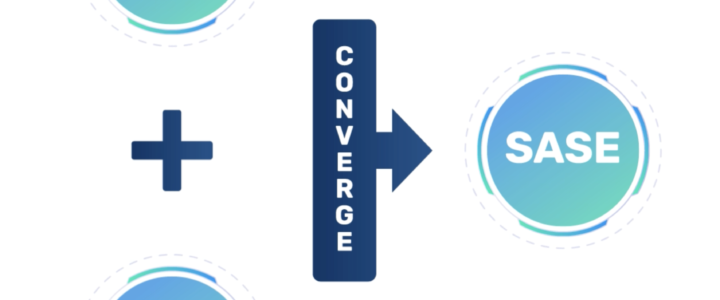

Thinking of security and SD-WAN? 4 SASE Trends you need to keep an eye on!

Thinking of security and SD-WAN? 4 SASE Trends you need to keep an eye on!

By Chis Newell
Founder & President

Studies have shown that SASE framework will account for 25+ percent of SD-WAN and cloud security services by the end of 2027. As we progress into 2023 let’s take a closer look at 4 emerging trends of SASE that could impact the year ahead.

SASE is a framework, not just another security mechanism. As we progress into this structure, the payoffs, little nuances, and big strategies have become much clearer.

1. Consolidation of SD-WAN following SASE framework adoption

Undeniably, as SASE adoption gains traction, there will be a good number of SD-WAN and security consolidations. It was difficult to discuss security options with SD-WAN, the intervention of SASE framework certainly converges the conversation. SASE key product sets are combining:

  • Software-Define Wide Area Network (SD-WAN)
  • Secure Web Gateway (SWG)
  • Cloud Access Security Broker (CASB)
  • Data Loss Prevention (DLP)
  • Firewall as a Service (FWaaS)
  • Zero Trust Network Access (ZTNA)
  • Centralized Management

Ever since businesses have embraced the remote office/users, IoT and home users, things have taken a solemn turn in a secure network edge. Simply, converging the conversation with a SASE framework, improves and secures networks.

2. Securing IoT devices

As employees continue to use a range of IoT devices, all mission-critical IoT will be looking to embrace SD-WAN with a SASE architecture. IoTs vital role is also its weakness. Because of IoTs mobility in business environments, security is an afterthought instead of a secure, faster, and reliable connection. It is important to note that all such IoT devices in the residential tech stack bleeding into the corporate environment pose a high risk.

Therefore, generating a holistic SD-WAN SASE awareness of all such devices (residential and business) will gain significance. Most SASE-based issues from IoT come from how invisible they are on the network.

3. SaaS Cloud Native Platforms & SASE

When looking to fuel digital transformations, SaaS makes it easier than not to move to the cloud.However, such benefits don’t come with a warning label. SASE’s security protects the most common bad actors facing SaaS applications.     

Phishing, malware, and account takeover are just some of the attacks SASE can stop or limit your organization’s exposure. 

While SaaS is an attractive way to transform to the digital age, protecting your journey is paramount.

4. SASE is redefining security for remote and home office networking

Since COVID disrupted the way of working, bad actors have been on a spree. According to Andrew Ossipov, CTO at Cisco, social engineering aimed at extracting credentials of corporates is fast becoming a daily occurrence because of a more significant number of remote workers. All thanks to feebly protected solutions connected to home and remote office networks with limited visibility.

With SASE on the scene, enterprises seek powerful ZTNA and SDP connections for various hybrid applications. More so, with increasing human-readable security policies for private, cloud, and SaaS network enforcement points.

Things will eventually boil down to a secure, end-to-end connectivity reinforcing a positive user experience across the length and breadth of applications.  

Wrap Up

Undoubtedly, as SASE solutions grow mature, integration capabilities will expand. 

The need for the hour is an optimal secure network and user experience, which the SASE framework provides. 

For customers looking to embrace the best-in-class solutions, you should team up with a supplier that has extended SASE capabilities and allows you to consume these capabilities as required.

Technology Navigation can help you find the SASE provider. Connect with us to learn more.

EA or CSP? Good Question 

EA or CSP? Good Question 

By Chis Newell
Founder & President

Traditional software licenses or head for the cloud? Is there a different way to procure cloud software/SaaS? These are some questions our clients ask as they look to leverage costs against their projected growth in the short, mid, and long-term. 

For firms using Microsoft products – which at last count is in the neighborhood of 650,000 including a whopping 91% of the Fortune 100 – this decision comes down to choosing between Microsoft’s Enterprise Agreement (EA) and its Cloud Solution Provider (CSP). Deciding which one is best for your business situation depends largely on who you are now and who you want to be in the future. 

The Case for CSP 

CSP Flexibility has become a huge part of many business plans because it can allow them to manage the ebb and flow of a volatile world with a lot less risk. Instead of the typical three-year agreement that is the foundation of EA, CSP allows you a more flexible purchasing cycle, which not only lets businesses have more elasticity with their budgets, but also means they are only paying for the licenses they use each month.  

For companies where there is a dedicated seasonal surge, this is a great way to upgrade the number of users needed for that specific window without having to take a bath on their price the rest of the year. Depending on the number of licenses purchased, CSP can have similar discounts as the EA, making the CSP decision easy from a financial and contractual perspective.  

In addition to the flexibility and license cost that the CSP provides, there are many providers that bake in Advanced or Premier Support, which eliminates the need to purchase a Premier Support contract, as required in the EA structure. Some CSP providers have their support onshore with 24x7x365 access, which is a nice change from the existing MS support model.  

The Case for EA 

EA is the primary licensing vehicle Microsoft has been using. It is for companies with at least 500 licensing stations that want software along with cloud service options for a minimum of three years, typically. It is a big package deal that naturally affords the customer some discounts due to the volume. That is, the more licenses you buy, the less you pay per license, if you can negotiate a better price. As the business scale and need to add or remove additional hardware, online services, or connected devices, you have a once-a-year process called the “true-up” without having to order them individually.  

There is a bit of measured risk with the EA, however. If the expected number of users does not meet what you’ve purchased during the first year, there’s no getting your money back. Most businesses are confident of their growth predictions before making an investment like this; but what happens in the event of something unforeseen and catastrophic like COVID-19 or a natural disaster that stunts or cripples your growth?  

Obviously, risk management is part of any business, but the limitations should be noted. If Azure is part of your company’s package, it is possible to reduce the number of licenses needed without cost starting in the second year, but that does not apply to the rest of Microsoft’s products. 

Conclusion 

Kudos to Microsoft for being cognizant of how different two businesses models for purchasing licenses and support. The choice then is to decide between the long-term EA at a sizable discount or the month-to-month CSP with similar discounts per license but a lot more flexibility and seemingly better support. 

Multi-cloud Strategy: the more, the merrier 

Multi-cloud Strategy: the more, the merrier 

By Chis Newell
Founder & President

Cloud technology has been highly adopted by businesses across the country. According to Gartner, 85% of enterprises will adopt a cloud first strategy by 2025.  

What comes next? Cloud diversification: the process by which a business uses multiple cloud environments (Hybrid, Private and Public) to house everything from software applications to workloads to assets to redundancies. This multi-cloud strategy is a simplistic concept of using multiple vendors for security, flexibility, redundancy, and cost savings.  

Having all your eggs in one basket is seldom a good idea for any enterprise. By using more than one cloud service, companies can augment their organization’s ability to stay online, all while lowering costs and maximizing the different strengths of different cloud environments.  

Security & Uptime 

Anytime a company is putting its assets into a cloud environment, it is taking the risk of attacks from cybercriminals, hackers, and unexpected downtime. By having different resources on disparate cloud services, even a distributed denial of service (DDoS) attack won’t be able to shut down your business entirely. If one cloud goes down for legitimate or criminal reasons, the rest can shoulder the load until the attack is rebuffed.  

According to Gartner, the average cost per hour of downtime for a company ranges from $140,000-$540,000. That is not a hit most companies can afford to take. Wrapping multi cloud security posture will also enable clients to limit a security event to a “north / south” penetration and not “east / west”, effectively containing the issue until it can be resolved.  
 

Flexibility 

Cloud-hosting providers have diversified their product offerings from simple storage environments to dedicated heavy processing private clouds, hyperscale clouds like AWS and Azure, community share resource clouds and so on.  

Different parts of your organization will have different requirements for workloads, and there is no point in overpaying for something you’ll never use. Picking and choosing from different cloud vendors to find the best match for each part of your business is the smarter play. Using multiple cloud providers and product offerings is becoming the norm.  
 

Catastrophe-Proof 

An acronym no IT person wants to see is SPOF – single point of failure. It can be a flaw in design without the proper, implementation, or configuration. If one SPOF goes down, it takes everything down with it. Think the Death Star from the original Star Wars film; one well-placed Luke Skywalker proton torpedo and the whole place turned into an ashtray.  

A well designed multi-cloud strategy keeps a SPOF from taking an environment down at any point. There have been a few cloud companies that have unexpectedly gone out of business or locked their clients out of their environment in the past decade.  

Most recent well known example of this was when AWS suspended Parler in 2020, effectively taking down the conservative social media site. Albeit this is an extreme example, it shows the importance of having a well-designed multi-cloud strategy.  

Conclusion 

Diversity and functionality are the goals of every IT organization., By engaging a multi-cloud strategy, companies can keep costs and security threats down while raising their ROI by choosing the right cloud design for all their needs.